How Do You Clean a Pedestal Fan?
Here's how to clean a pedestal fan: unplug it, remove loose dust, and clean removable parts as the manual directs. Wash only approved parts, dry them completely, and keep water away from the motor and controls.
On this page (10 sections)
- How to clean a pedestal fan step by step
- What should you prepare before cleaning?
- How do you remove the grille and blades safely?
- How should you clean the grille and blades?
- How do you clean the stand, base, and motor area?
- Which cleaning mistakes should you avoid?
- Which pedestal fans make cleaning easier?
- How can you keep a pedestal fan cleaner between deep cleans?
- When can you plug the fan back in?
- Which cleaning method and fan should you choose?
Here's how to clean a pedestal fan: unplug it, remove loose dust, and clean removable parts as the manual directs. Wash only approved parts, let them dry completely, and keep water away from the motor and controls.
You don't need a new fan just because the grille looks dusty. Start with surface cleaning, then remove the grille and blades only when buildup inside needs attention and your model allows access.
How to clean a pedestal fan step by step
Remove dust before using any moisture, then clean each part according to its care instructions. Grille clips, screws, and blade retainers vary, so use the manual for your exact model.
- Switch off the fan, unplug it, and wait for the blades to stop.
- Move it to a clear workspace and gather your cleaning tools.
- Brush or vacuum loose dust from the outside.
- Remove the front grille and blades only as directed.
- Clean the removed parts, washing them only if permitted.
- Wipe the stand and base without wetting electrical parts.
- Let everything dry completely, reassemble, and check the fasteners before use.
Take a photo before removing parts if their order isn't obvious. Keep the manual nearby so you can check the reassembly steps without guessing.
What should you prepare before cleaning?
Gather a soft cloth, a soft brush, and a vacuum brush attachment. You'll also need a towel for the work surface and a small container for screws or clips.
Add mild dish soap and water only if the manual permits washing the removable parts. A cloth dampened with water may be enough for marks on the stand or base.
Give yourself enough room to lay the grille flat without stepping on it. Support the fan head during removal so pulling on a clip doesn't tip the whole fan.
Avoid abrasive pads, solvents, and direct sprays. Apply any permitted liquid to the cloth away from the fan, then wring it out so it doesn't drip.
How do you remove the grille and blades safely?
Follow the model's removal order and support each part as it comes free. Don't assume every cap loosens in the same direction.
Look for screws, release clips, or a retaining ring before pulling on the front grille. If a part resists, check for another fastener rather than adding force.
Set parts down in removal order, with small hardware in your container. Keep blade edges clear of heavy objects so they don't bend or crack.
Don't open the motor housing to reach ordinary dust. If cleaning requires access the manual doesn't explain, ask the manufacturer for the approved method.
Can you clean a pedestal fan without taking it apart?
You can remove loose surface dust without opening the fan. Gently pass a soft brush over the grille, then collect loosened dust with the vacuum brush.
Keep both tools outside the grille and use light pressure. Pushing a cloth through the openings can snag it or press against the blades.
This approach suits a lightly dusty fan or a quick clean between deeper sessions. Visible buildup behind the grille needs approved disassembly, rather than repeated brushing from outside.
How should you clean the grille and blades?
Lift off dry dust first, then wipe or wash the removed parts as their care instructions allow. Removing the loose layer first keeps it from turning into a muddy film.
Work along the grille openings and blade edges with a soft brush. Hold each blade steady while wiping, without twisting or flexing it.
For washable parts, use mild soapy water and a soft cloth unless the manual specifies another method. Don't assume they can go in a dishwasher or tolerate a long soak.
Remove soap residue as directed, towel off excess water, and leave the parts to air-dry fully. Check joints and fastener recesses for trapped moisture before reassembly.
Don't use a heater or hair dryer to rush drying. Heat can damage plastic, and a dry-looking surface doesn't mean every recess is dry.
What if the fan grille is not removable?
With a fixed grille, clean only accessible surfaces using the method the manufacturer allows. A grille that won't release isn't an invitation to pry it open.
Don't spray cleaner through the openings or use a running fan to draw cleaning mist inside. If dirt remains out of reach, get care advice before trying another method.
How do you clean the stand, base, and motor area?
Wipe the stand and base, and keep the motor housing dry. Use a dry or slightly damp cloth where permitted, followed by a dry cloth.
Pay attention to the base rim and height-adjustment collar, where dust can settle. Keep moisture away from buttons, seams, cord connections, and vents.
Use a dry soft brush on the outside of the motor housing. Don't push dust deeper through its openings or add oil unless the manual specifically calls for it.
Check the cord and plug while they're easy to see. Stop using the fan if either is damaged, and follow the manufacturer's service guidance.
Which cleaning mistakes should you avoid?
The main mistakes are forcing parts, soaking electrical components, and reconnecting a damp fan. None makes the job faster once damage occurs.
Don't mix up blade retainers or leave out a screw during reassembly. Even a clean fan needs its grille and blade secured correctly before it runs.
Avoid scrubbing stuck dirt with sharp tools. Use repeated gentle wiping with an approved cleaner instead of scraping the plastic.
Don't treat a new rattle as normal after cleaning. Switch off, unplug, and check the assembly before running the fan again.
Which pedestal fans make cleaning easier?
Choose confirmed access to the parts you want to clean. The DREO and Levoit below have detachable cleaning parts; choose the Lasko for its larger fan head and height, after checking its care procedure.
If you're replacing a fan, cleaning access should sit alongside room fit, controls, and placement. Our best pedestal fans guide covers broader choices, while tower fan vs pedestal fan helps you choose the shape.
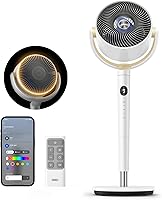
DREO for access to both grilles
The DREO suits buyers who want to remove the blade and both grilles separately. That access is useful when dust collects on the rear grille as well as the front.
Its height adjusts from 38 to 42 inches, with a pivoting head for aiming airflow. Remote control, 8 speeds, and an 8-hour timer suit rooms where you change settings from a chair or bed.
Skip it if you need a much taller pedestal fan. Measure the height of nearby furniture first, and remember that detachable parts still need separate care instructions before washing.
Lasko for a taller fan in a larger room
The Lasko suits buyers who want a 20-inch fan head and height adjustment up to 56.9 inches. Its 4 speeds, tilt adjustment, and oscillation help you direct airflow across a seating area.
Assembly requires no tools, and the remote has onboard storage. You'll need 2 AAA batteries for the remote, since they're not included.
Skip it if confirmed detachable grilles are your main buying requirement. Check the S20620 manual before choosing it for cleaning convenience, and allow room for its 20.25-by-22.5-inch footprint.
Levoit for switching between floor and tabletop use
The Levoit suits buyers who want pedestal and tabletop options, plus a detachable front grille and blades. It's a useful choice when the fan's location changes between a desk and a floor position.
It has 5 speeds, Turbo mode, remote control, and manual vertical adjustment. Levoit states a minimum sound level of 20 dB at the lowest setting, so don't apply that figure to higher speeds.
Skip it if you specifically want confirmed rear-grille removal. When using it on furniture, choose a stable surface with room for the base and a cord route clear of walkways.
How can you keep a pedestal fan cleaner between deep cleans?
Remove light dust before it forms a thick layer, and clean the floor or furniture around the fan. Inspect it regularly, especially during daily use or in rooms with pets.
Keep curtains, loose fabric, and other objects away from the grille. Before storage, clean the fan, let it dry fully, and cover it only while unplugged.
For another design, follow our guide to how to clean a tower fan. Our fan care and guides page collects more maintenance advice.
When can you plug the fan back in?
Reconnect the fan only when all parts are dry and securely assembled. Check the blade retainer, grille fasteners, height adjustment, and base before putting it in its usual spot.
Start it on a low setting and watch for wobbling, scraping, or unusual vibration. If any appears, switch off and unplug it before checking the assembly.
For everyday placement, compare room fans: tower, pedestal, circulator and bladeless. If several seats need airflow, our best oscillating fans for living rooms guide can help.
Which cleaning method and fan should you choose?
For how to clean a pedestal fan, use surface dusting for light buildup and approved disassembly for dirt behind the grille. Replace the fan only if its condition or fit calls for it.
Choose DREO for access to both grilles, Levoit for floor and tabletop flexibility, or Lasko when a taller stand and larger head matter more. Compare the room fit and cleaning access in our guide to the best pedestal fans before deciding.
Frequently asked questions
How often should you clean a pedestal fan?
Check the grille and blades regularly, and clean them when visible dust collects rather than waiting for airflow to weaken; fans used daily in dusty rooms or around pets may need attention sooner. A light surface clean between deeper cleans helps prevent thick buildup along blade edges and grille openings.
Can you wash pedestal fan blades?
Wash removable blades only when the manual allows it, using the cleaner and method it recommends; detachable parts aren't automatically safe to soak. Keep the motor and electrical parts dry, rinse away soap if directed, and let the blades dry completely before fitting them back onto the fan.
Can you clean a pedestal fan without taking it apart?
Yes, you can remove loose surface dust with a soft brush or vacuum brush while the fan is unplugged; keep tools outside the grille rather than reaching toward the blades. If dust remains trapped inside, follow the approved removal steps or ask the manufacturer how to reach it.
How do you clean a pedestal fan motor?
Clean only the outside of the motor housing with a dry cloth or soft brush, following the manual; keep water, spray, and tools out of its openings. Leave the housing closed unless the manufacturer gives user-service instructions, and stop using the fan if you find cord damage or smell burning.